Debt Payoff Planner
Free downloadSee your debt-free date and the interest you'll pay — under the strategy you choose.
Features
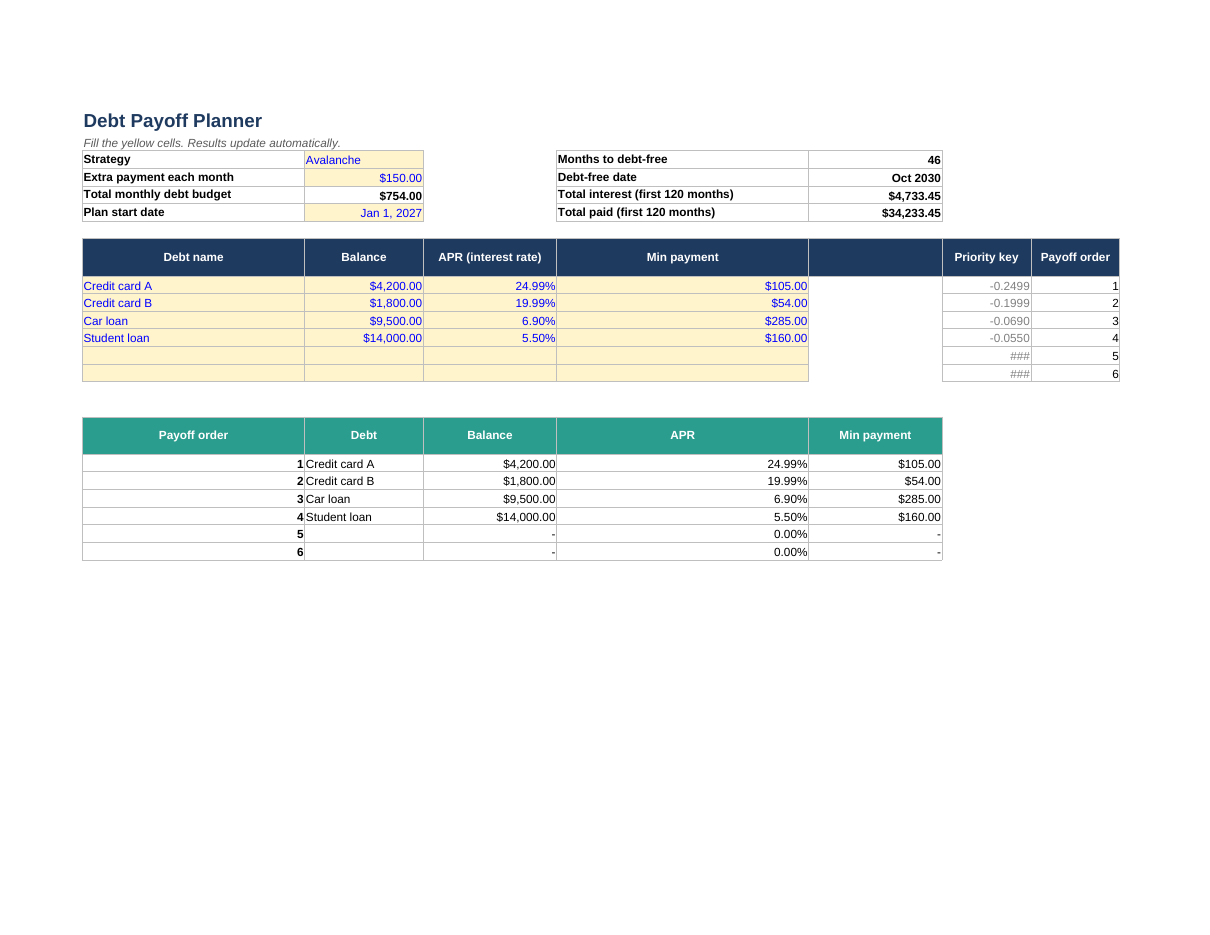
- Enter up to six debts; switch between Snowball (smallest balance first) and Avalanche (highest rate first)
- Freed-up minimum payments roll into the next debt automatically
- Months to debt-free, your debt-free date, total interest and total paid, updated as you type
- A full month-by-month schedule (up to 120 months) and a warning if a minimum payment doesn't cover the interest
How to use it
- On the Debts tab, enter each debt's name, balance, APR and minimum payment
- Pick Snowball or Avalanche and add any extra monthly payment
- Set your start date — then try changing the extra payment and watch the debt-free date move
Format: Excel (.xlsx — also opens in Google Sheets) + printable PDF