Practical money tools from FundMil, free to download. Enter your email to subscribe to The Mil Daily — our free newsletter — and the download buttons unlock right on this page. No account, no card, and every file carries the same rule as the site: education only, not financial advice.
Money Events Calendar
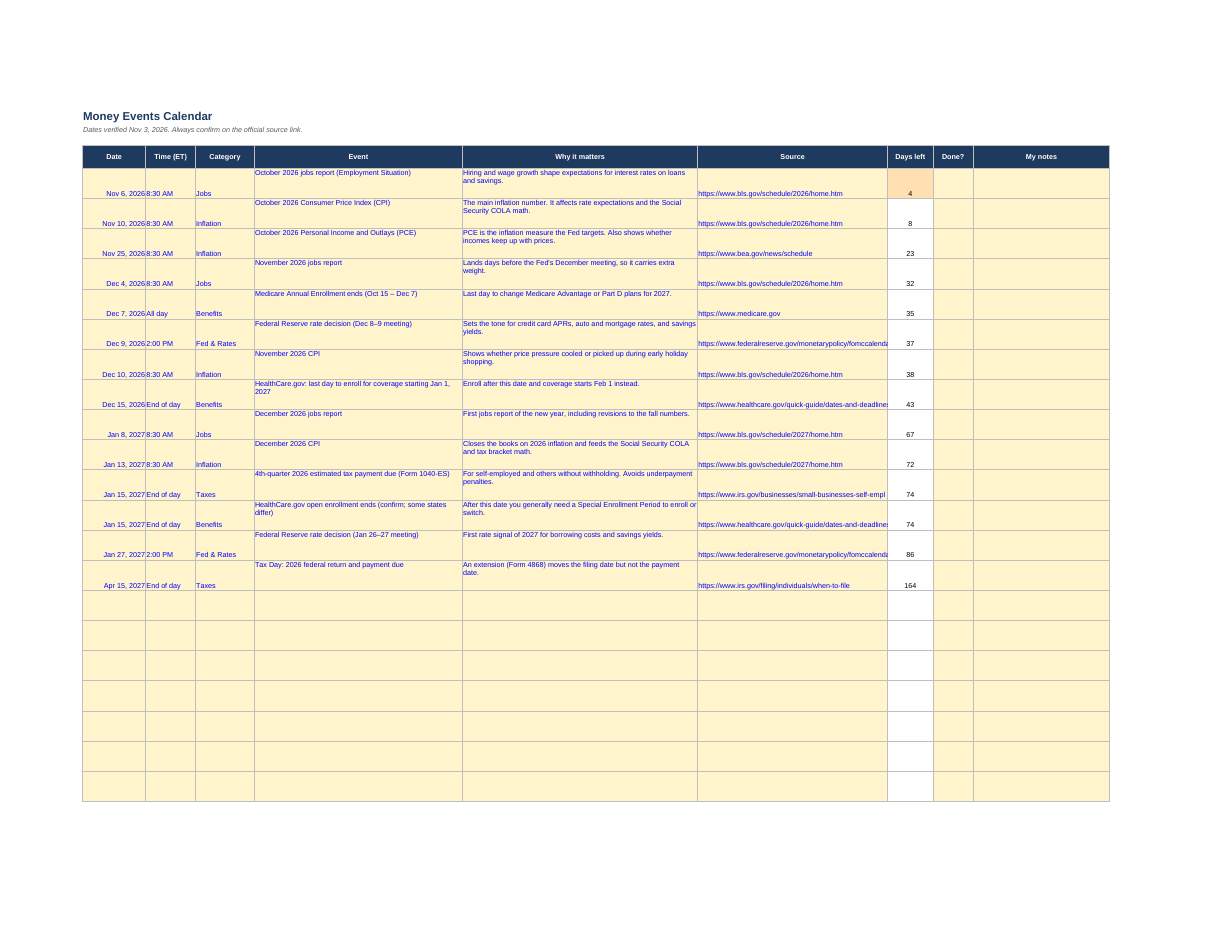
Free downloadKnow which official dates can move your rates, prices and deadlines — Nov 2026 to Apr 2027.
Features
- Fed decisions, jobs reports, CPI and PCE releases, tax and health-enrollment deadlines, each with a 'why it matters' note and the official source link
- Automatic 'days left' countdown that updates every time you open the file
- 'Done?' tracker and a notes column, plus blank rows for your own dates (rent rises, renewals, bill resets)
- 'Latest Results' tab: what the recent releases actually said, checked against the official releases
How to use it
- Open the Calendar tab and check the 'Days left' column
- For each date, read 'Why it matters' and write your action in 'My notes'
- Mark 'Done?' when handled
Format: Excel (.xlsx — also opens in Google Sheets) + printable PDF
Monthly Budget Starter
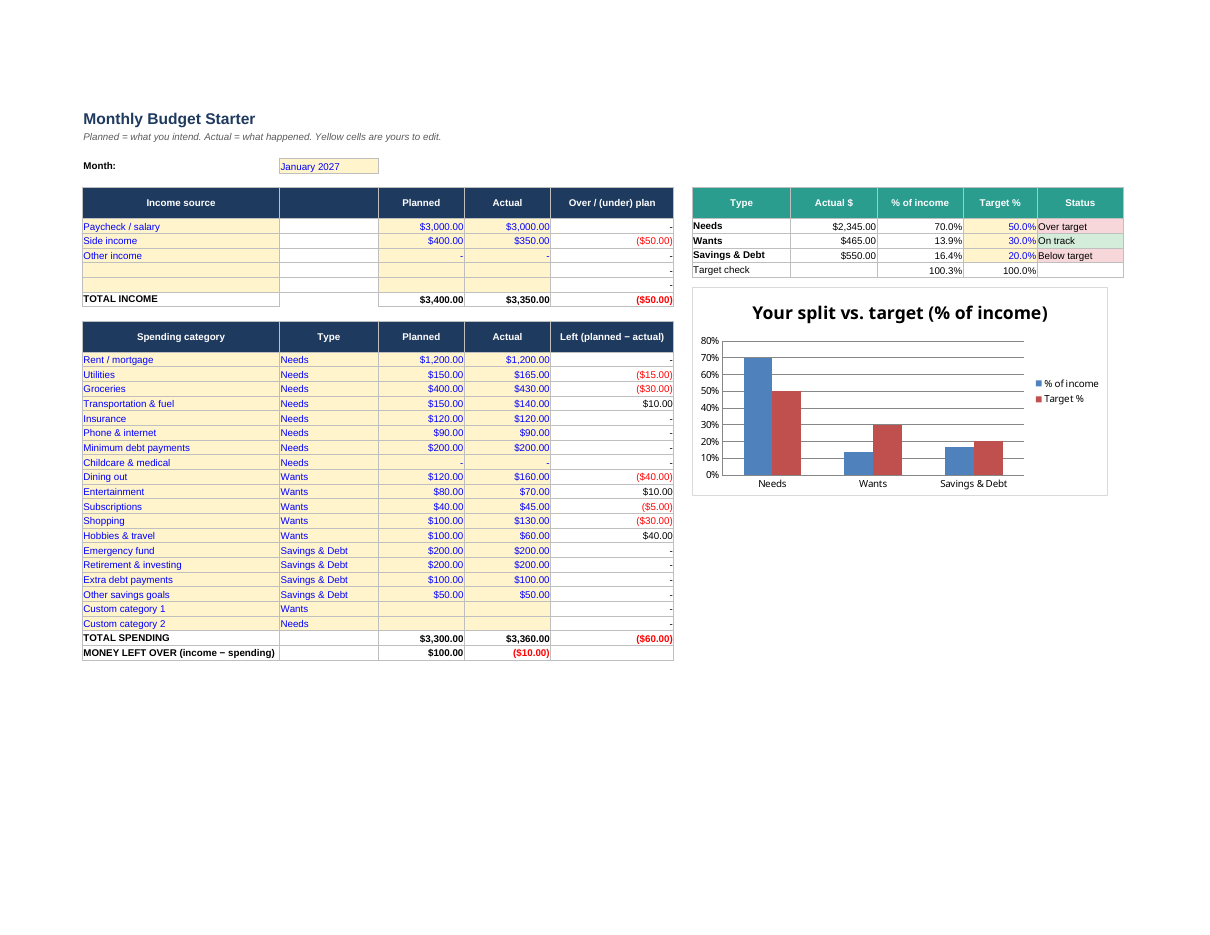
Free downloadOne page that shows where your money goes — and checks it against the 50/30/20 rule.
Features
- Planned vs. actual columns for your income and 19 spending lines
- Every line tagged Needs, Wants or Savings & Debt, with automatic totals and percentages
- Built-in 50/30/20 check with a clear status — On track, Over target or Below target — plus a chart
- 'Money left over' lines for both your plan and your actual month, and two blank rows for your own categories
How to use it
- Type the month at the top of the Budget tab
- Enter planned income and spending, then fill in actuals as the month goes
- Check what's left and the 50/30/20 status; copy the tab at month end for a fresh month
Format: Excel (.xlsx — also opens in Google Sheets) + printable PDF
Read the guide: the 50/30/20 budget rule
Debt Payoff Planner
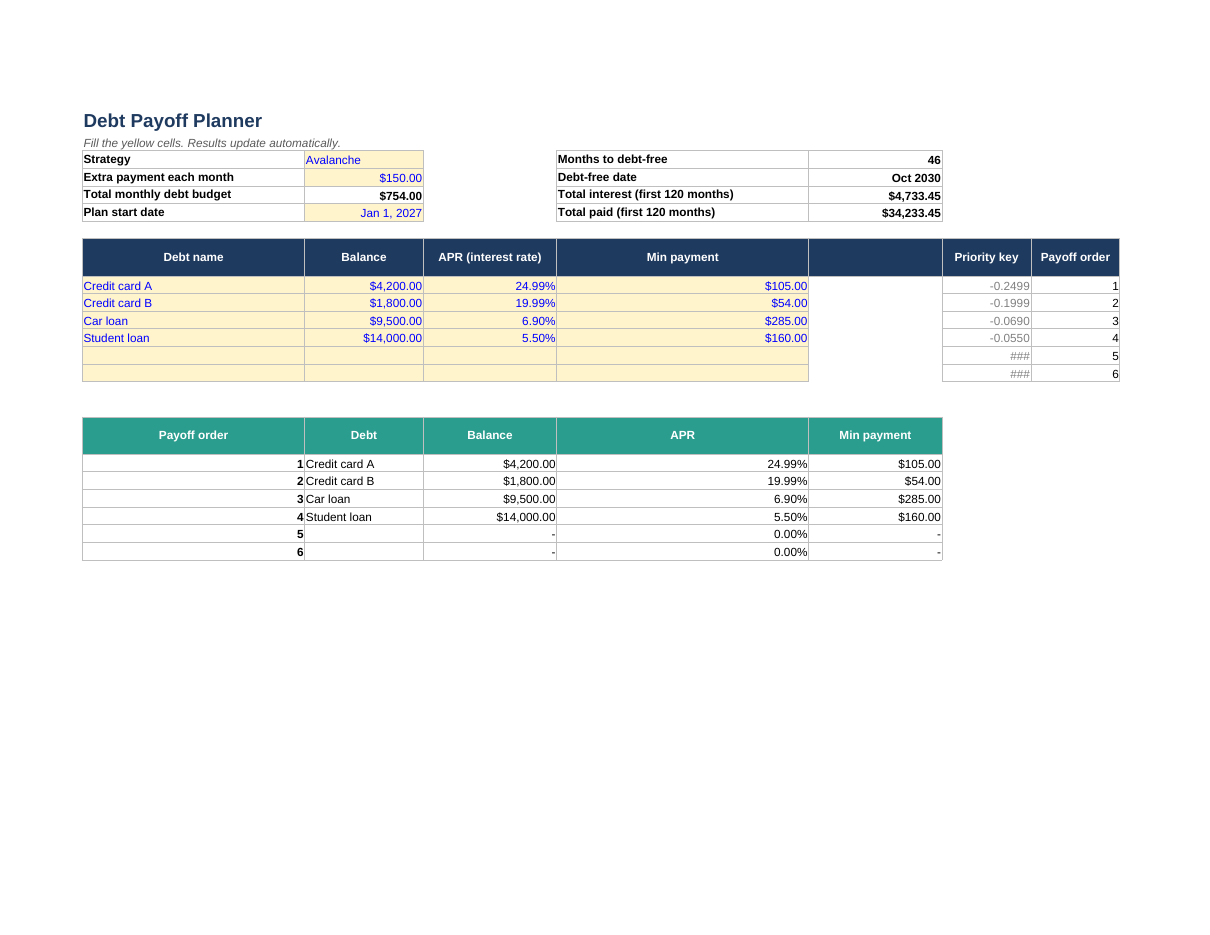
Free downloadSee your debt-free date and the interest you'll pay — under the strategy you choose.
Features
- Enter up to six debts; switch between Snowball (smallest balance first) and Avalanche (highest rate first)
- Freed-up minimum payments roll into the next debt automatically
- Months to debt-free, your debt-free date, total interest and total paid, updated as you type
- A full month-by-month schedule (up to 120 months) and a warning if a minimum payment doesn't cover the interest
How to use it
- On the Debts tab, enter each debt's name, balance, APR and minimum payment
- Pick Snowball or Avalanche and add any extra monthly payment
- Set your start date — then try changing the extra payment and watch the debt-free date move
Format: Excel (.xlsx — also opens in Google Sheets) + printable PDF
Prefer a web tool? Try the free debt payoff calculator
Emergency Fund & Sinking Funds Tracker
Free downloadBuild a safety net, and turn surprise bills into planned monthly amounts.
Features
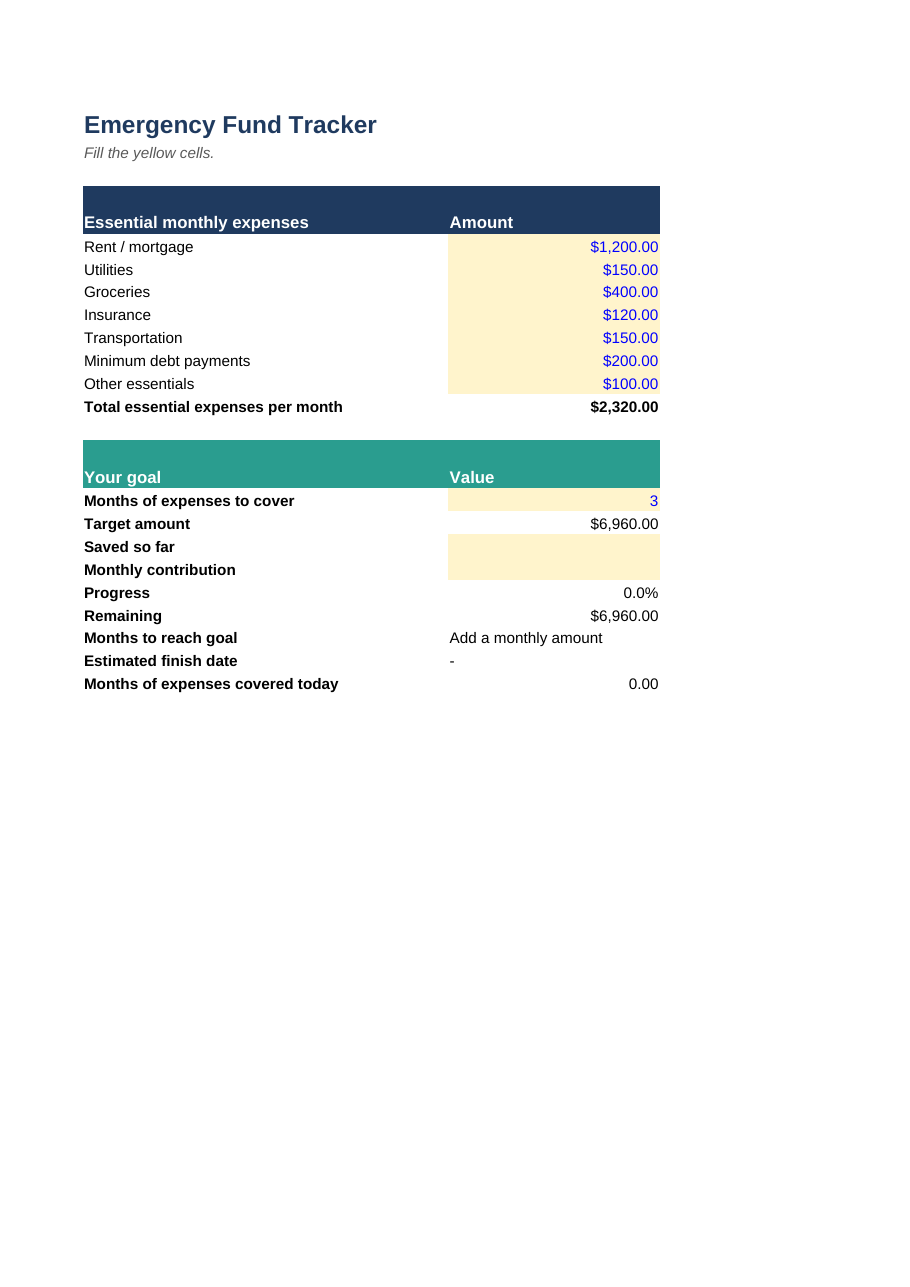
- Emergency fund target built from your own essential expenses — choose 1 to 12 months of cover
- Progress %, amount remaining, months to goal and an estimated finish date
- Up to 10 sinking funds with due dates, each showing the exact amount to set aside monthly
- A monthly set-aside total across all your funds
How to use it
- List your essential monthly expenses and pick your months of cover (3–6 is common)
- Enter what you've saved and what you can add each month
- On the Sinking Funds tab, list each irregular expense with its amount and due date; update 'saved so far' monthly
Format: Excel (.xlsx — also opens in Google Sheets) + printable PDF
Read the guides: Emergency fund: how much & where to keep it · Sinking funds: save for irregular expenses
Loan Calculator & Amortization Schedule
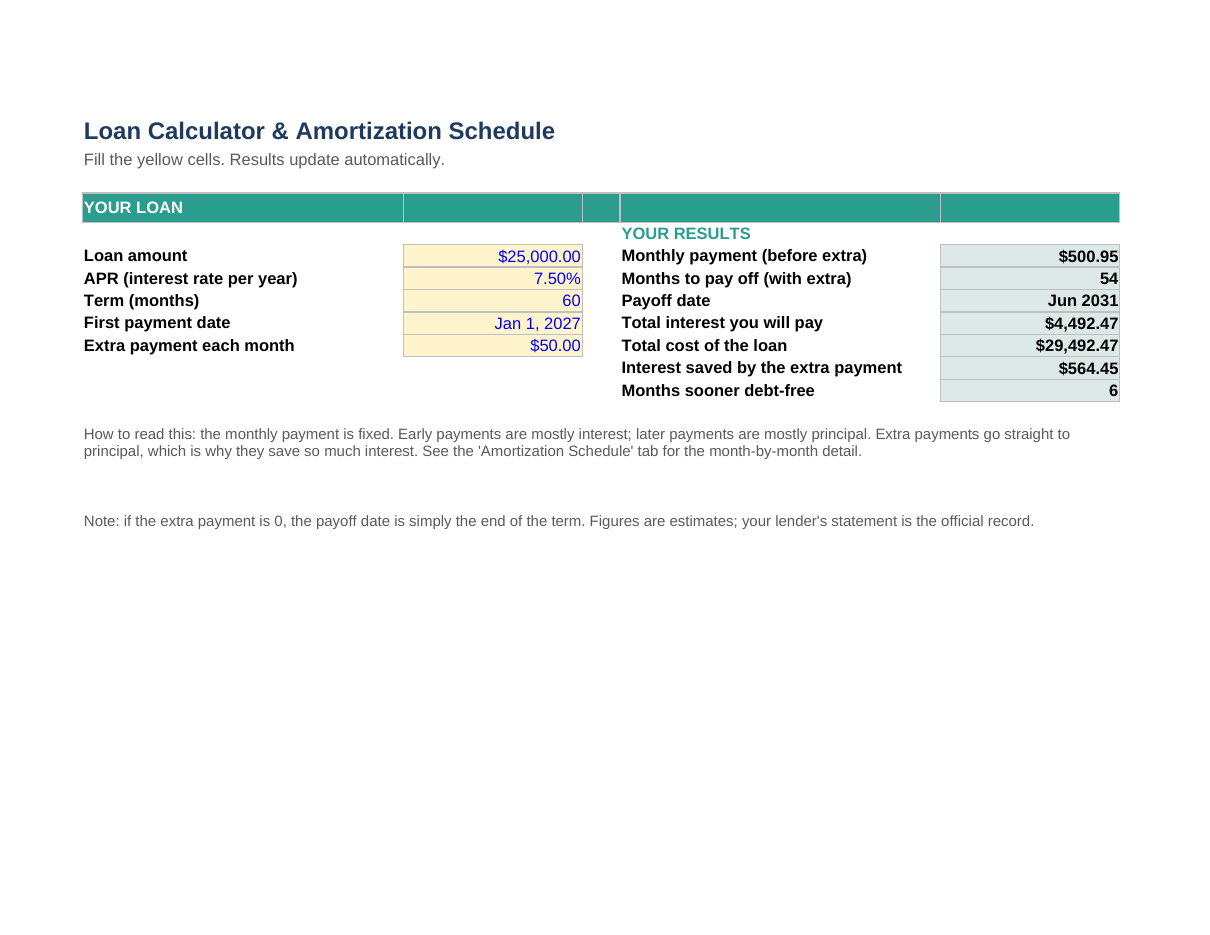
Free downloadSee the true cost of any loan — payment, payoff date and total interest — before you sign.
Features
- Monthly payment, total interest and total cost of the loan, updated as you type
- A full month-by-month amortization schedule for loans up to 30 years (360 payments)
- Add an extra monthly payment and see the new payoff date and the interest you save
- Works for car loans, personal loans, business loans and fixed-rate mortgages
How to use it
- Enter the amount, APR, term in months and first payment date
- Read your payment, total interest and payoff date in the results box
- Open the Amortization Schedule tab to see every payment split into interest and principal
Format: Excel (.xlsx — also opens in Google Sheets) + printable PDF
Prefer a web tool? Browse FundMil's free calculators
DSCR Calculator
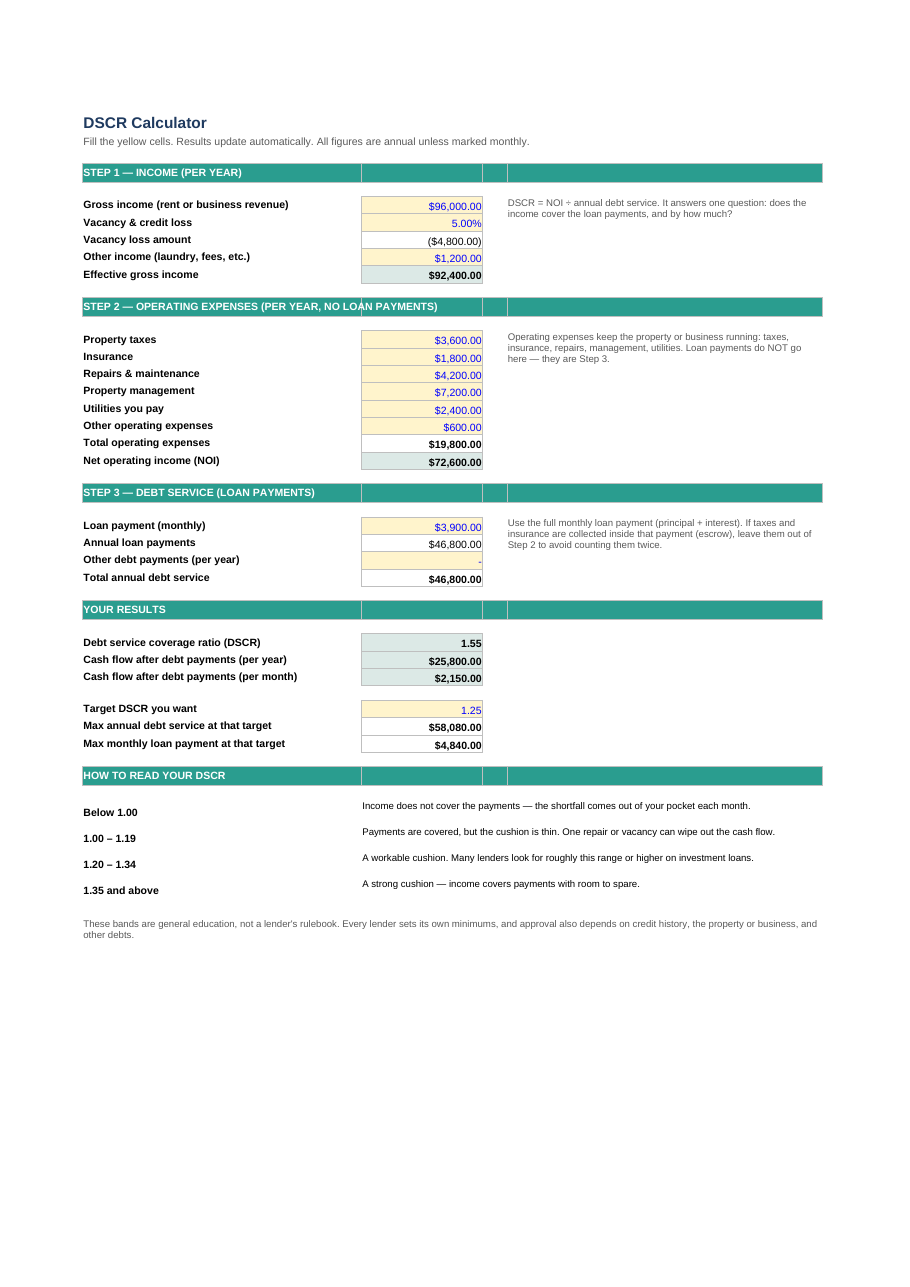
Free downloadFind out whether a property or business earns enough to cover its loan payments — the way a lender looks at it.
Features
- Step-by-step build-up: effective income, operating expenses, then net operating income (NOI)
- Your debt service coverage ratio, plus the cash flow left after debt payments, per year and per month
- A maximum-payment check: the biggest monthly payment your income supports at your target DSCR
- A plain-English guide to reading your ratio, built into the sheet
How to use it
- Enter the annual income and vacancy percentage in Step 1
- Add operating expenses in Step 2 — loan payments do not go here
- Enter the loan payment in Step 3 and read your DSCR in the results box
Format: Excel (.xlsx — also opens in Google Sheets) + printable PDF
SBA Loan Application Checklist
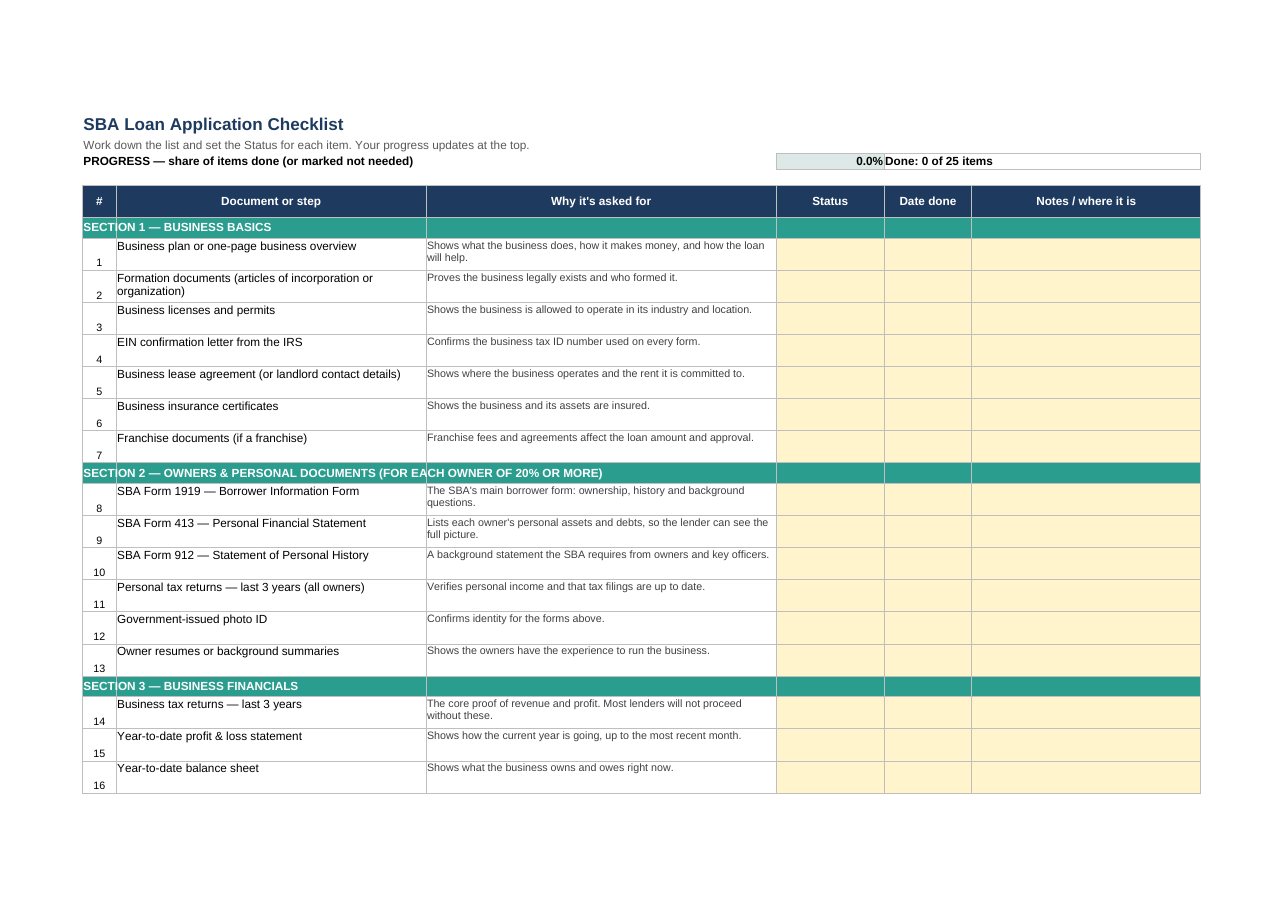
Free downloadEvery document lenders commonly ask for on an SBA 7(a) application — in one checklist you can tick off.
Features
- 25 items grouped the way lenders think: business basics, owners, business financials, and use of funds & collateral
- A status tracker with a live % complete score, so you always know what is still missing
- The key SBA forms named — Form 1919, Form 413 and Form 912 — with what each one is for
- A Key Figures tab that keeps the facts every form asks for in one place
How to use it
- Fill in the Key Figures tab first — business facts, owners, amount requested
- Work down the Checklist tab, setting each item's status as you go
- At 100%, your application pack is ready to send to your lender
Format: Excel (.xlsx — also opens in Google Sheets) + printable PDF
Business Debt Schedule
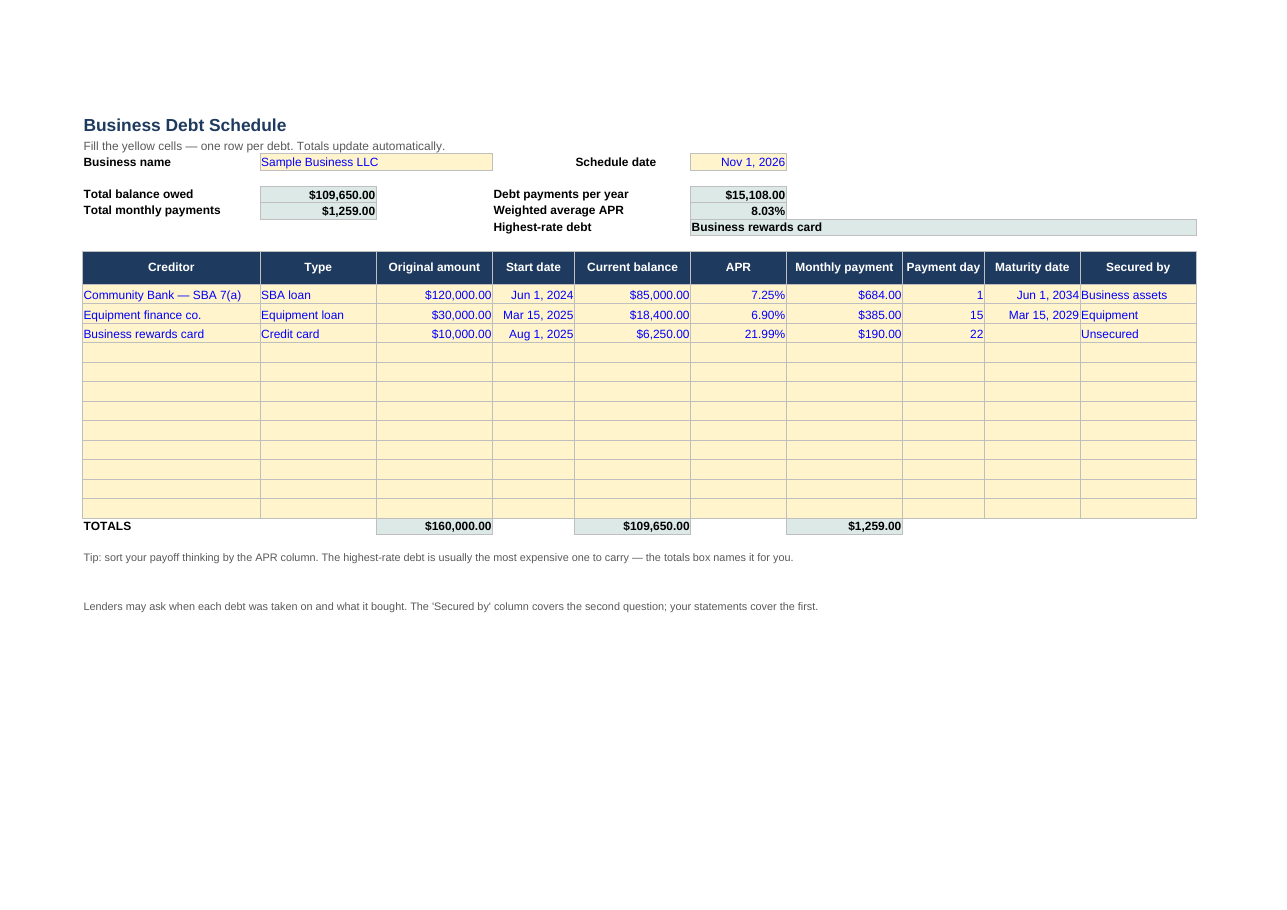
Free downloadEvery business loan, card and credit line on one page — the exact schedule lenders ask for.
Features
- Room for 12 debts: term loans, credit lines, business cards, equipment loans and SBA loans
- Automatic totals for the balance owed and monthly payments, plus your yearly debt cost
- Your weighted average interest rate — the true average, weighted by balance
- A flag naming your highest-rate debt
How to use it
- Enter one row per debt, using your latest statements for balances and rates
- Read the totals box: total owed, monthly load and average rate
- Update it monthly, or right before any loan application
Format: Excel (.xlsx — also opens in Google Sheets) + printable PDF
Applying for an SBA loan? This schedule is part of the application pack — see the SBA checklist above.
Bookkeeping, P&L & Cash Flow Tracker
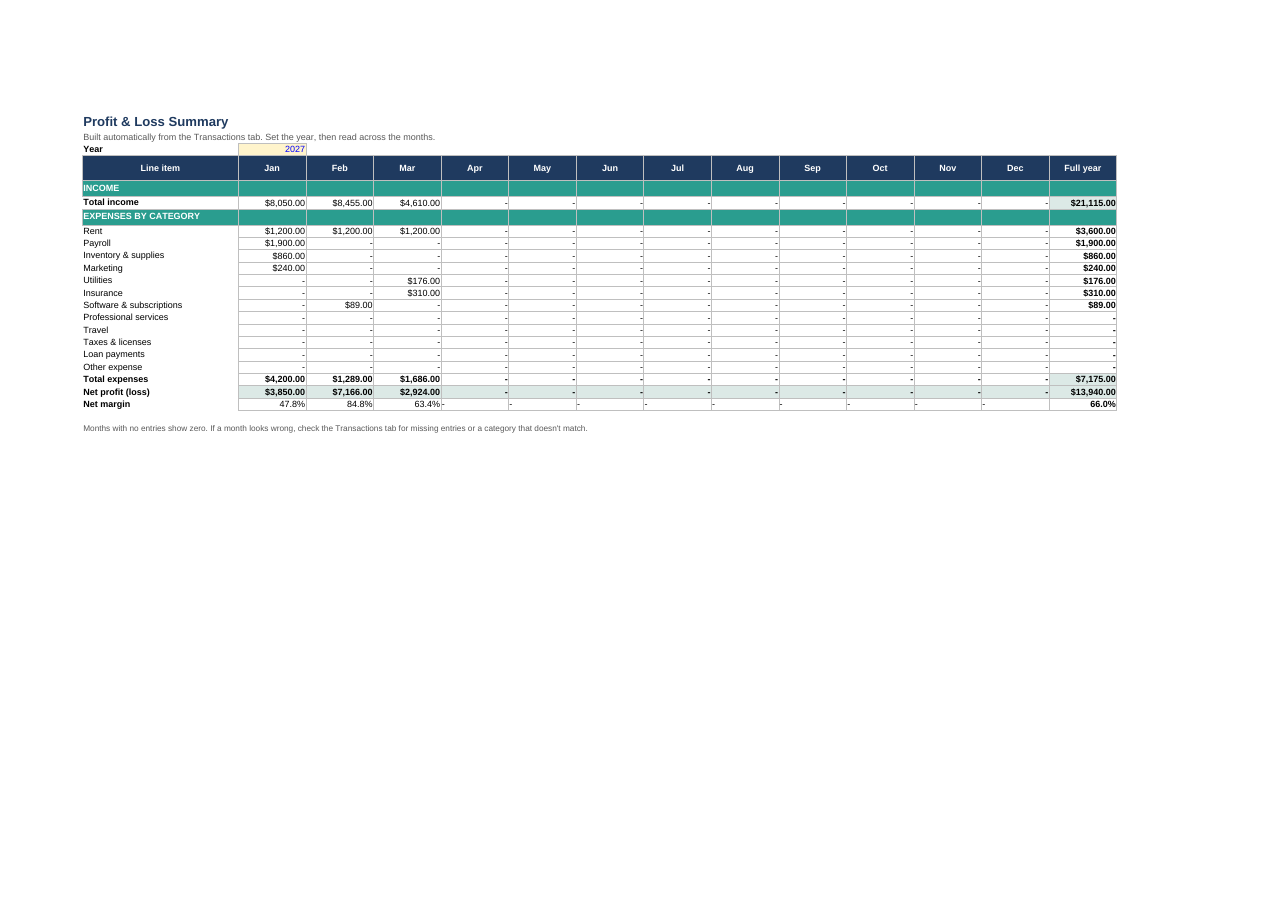
Free downloadLog money in and out in minutes — and get a monthly profit & loss and cash flow view automatically.
Features
- A simple transaction log for a full year — up to 200 entries, with dropdown categories
- Automatic monthly profit & loss: income, 12 expense categories, net profit and margin
- A cash flow view that carries your balance forward month to month
- Sample entries included, so you can see it working before you type your own
How to use it
- Log each sale and bill on the Transactions tab as it happens
- Check the P&L Summary tab for your monthly and full-year profit
- Enter your opening balance on the Cash Flow tab and compare month-end balances with your bank
Format: Excel (.xlsx — also opens in Google Sheets) + printable PDF