Bill Payment Tracker
Free downloadEvery bill, its due day, and twelve tick-boxes — the year you never pay a late fee again.
Features
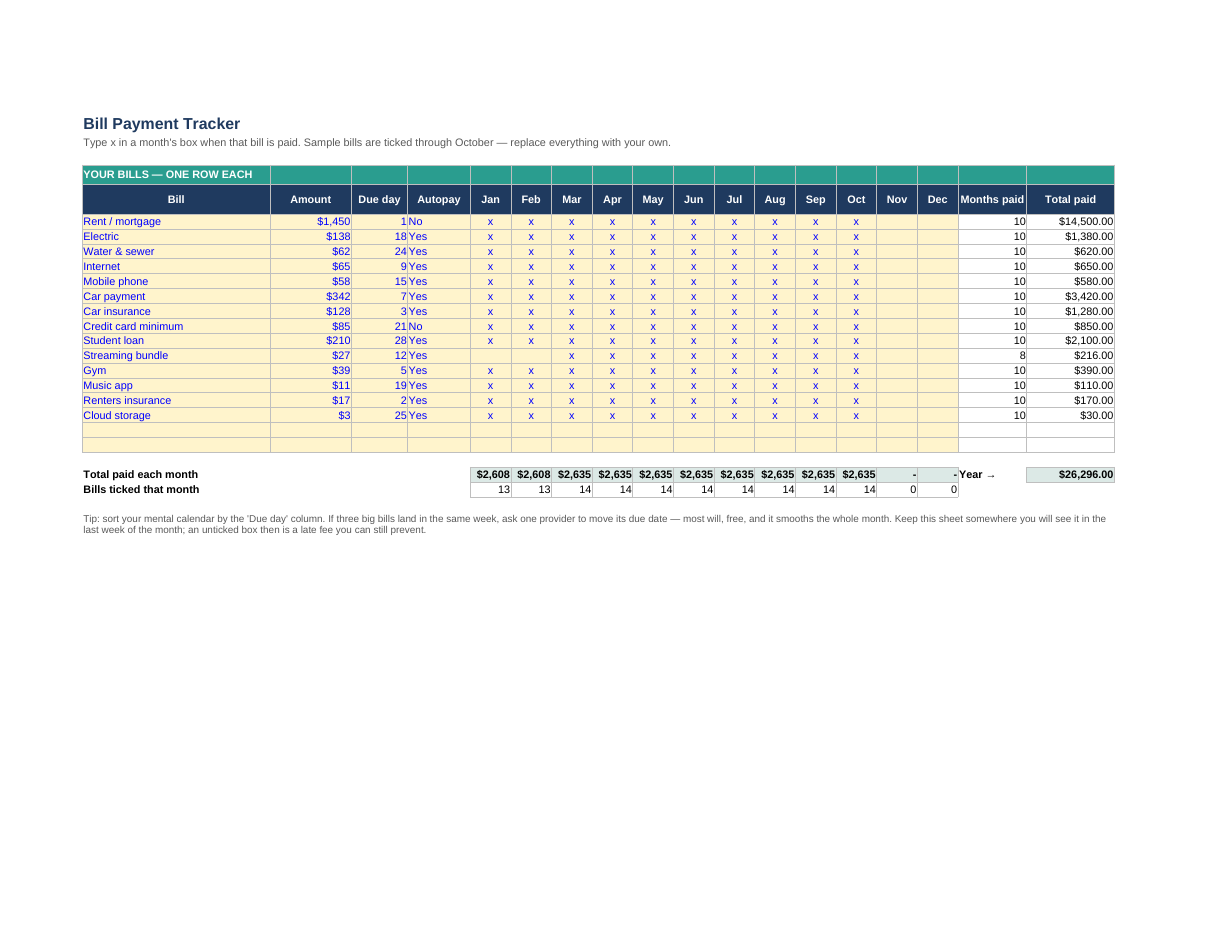
- Room for 16 bills: name, typical amount, due day of the month and an autopay flag
- A tick-box for every bill for every month — type x as each bill is paid
- Automatic counts: months paid per bill, total paid per bill, and total paid in each month
- A year view of your true monthly bill load — the number every budget should start from
How to use it
- List every recurring bill on the Bill Tracker tab: name, usual amount, due day, autopay Yes/No
- Each month, type x in that month's column for every bill you have paid
- Glance at 'Months paid' to spot a missed bill before the late fee lands
- At year end, the 'Total paid' column is the honest cost of your commitments
Format: Excel (.xlsx — also opens in Google Sheets) + printable PDF
When money is tight, order matters: read what bills to pay first when money is tight, and pair this tracker with the monthly money reset checklist.