Subscription Audit Worksheet
Free downloadList every subscription, see the real annual cost of each, cancel with intent — and count the saving.
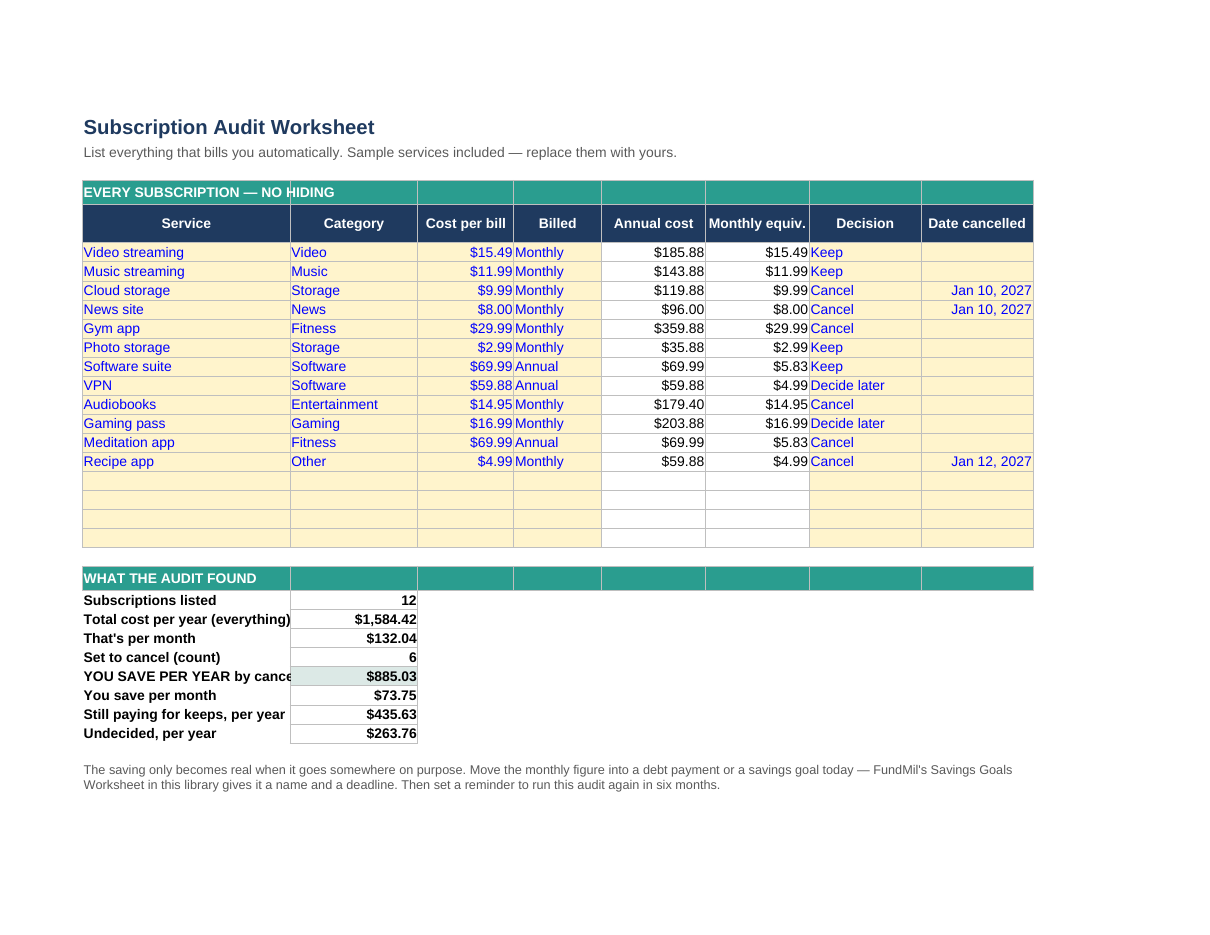
Features
- Room for 16 subscriptions: service, category, price, and monthly or annual billing
- Every price converted to its annual cost and monthly equivalent automatically
- A keep / cancel / decide-later decision column for every service
- An audit summary: total cost now, your saving per year from cancels, and what the keeps still cost
How to use it
- List everything that bills you automatically — two months of statements catch the forgotten ones
- Enter each price as billed and set Monthly or Annual; the annual cost column is the wake-up call
- Give every row a decision — a service you use weekly is not waste, be honest on the keeps
- Cancel the cancels today, note the date, and give the saving a job (a debt or a goal)
Format: Excel (.xlsx — also opens in Google Sheets) + printable PDF
The full method is in how to audit subscriptions and save, and the leaks this audit finds show up first in the Expense Tracker in this library.